
Behind the Contact Form
At first glance, the Contact Me page looks simple in the UI — just a few input fields and a submit button.
But behind the scenes, even a small form can involve significant complexity and many possible use cases. A contact form is not just a UI element; it is also one of the most exposed entry points of a website, which means security, validation, monitoring, and business rules all come together in one place.
A simple form on the screen often hides multiple layers of engineering behind it.
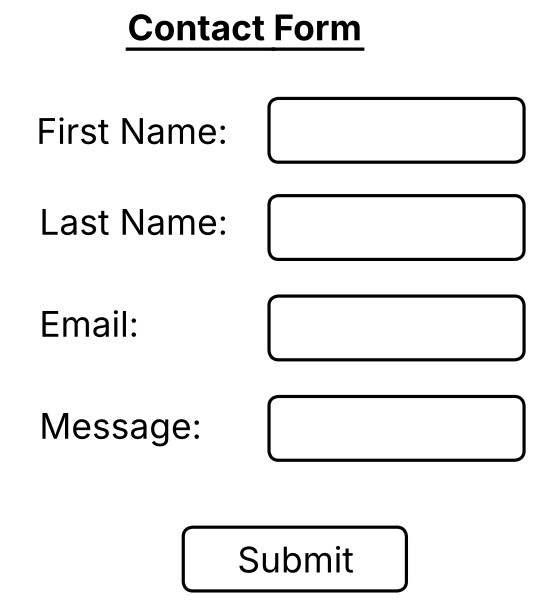
What Looks Simple in the UI
If you observe the form on the left, it appears simple — a few fields and a submit button. But simplicity in the UI should not be confused with simplicity in implementation.
Forms like these often become a primary gateway into the application. Because of that, they must be designed with care. A contact form is not only about collecting data; it is also about protecting the system, validating user intent, and controlling how data flows into the application.
Keep the user experience simple, but design the backend flow with enough layers to handle misuse, invalid input, and operational concerns.
Thinking in Layers
To design a contact form properly, it helps to think through it in layers rather than as a single controller action.
- Security Layer
- Spam Filter Layer
- Observability Layer
- Database Constraint Layer
- Business Rule Layer
Even a small form becomes easier to reason about when responsibilities are separated into layers.
Security and Bot Protection
The security layer focuses on protecting the form from automated misuse and repeated abuse. This can include bot protection, rate limiting, and centralized guard services.
Bot protection itself may involve several smaller checks such as honeypot fields, timestamp verification, form tokens, and form state validation.
These checks may look small individually, but together they reduce the chance of low-effort automated attacks reaching the core application flow.
Protect the form before the request reaches business logic.
Spam Filtering and Input Validation
Another important layer is spam filtering. This focuses on validating and sanitizing input before it is accepted by the system.
This may include field validation, content sanitization, suspicious pattern detection, and checks to ensure the message is meaningful enough to process.
The goal here is not only to protect the system, but also to improve the quality of data entering the workflow.
Controller Flow and Business Rules
Once a request passes security and validation checks, the controller layer is responsible for coordinating the application flow.
This includes applying business rules, deciding redirects, returning success or failure states, and controlling how the request moves to downstream components.
Business rules may include required fields, message length constraints, repeated submission handling, and other rules based on the purpose of the website.
Observability and Database Constraints
A form should also be observable. Logging and monitoring help identify suspicious patterns, understand usage, and troubleshoot issues when something goes wrong.
If earlier layers fail, the database should still provide a minimum line of defense. This can include required field constraints, length restrictions, and structural rules that protect the system from invalid or malicious input.
Logging helps detect behavior, while database constraints help protect the final persistence layer.
Additional Layers
Depending on the needs of the site, a contact form can expand beyond its core technical layers.
- Communication Layer
- Notification Layer
- Marketing Layer
- Tracking Layer
- Management Layer
- Compliance Layer
- Internationalization Layer
The communication layer decides how data moves across systems. The notification layer controls what is sent to end users or internal teams. The tracking layer helps understand how the form is being used. The compliance layer ensures the form follows local law and policy requirements. Internationalization supports users across different languages and regions.
Final Thought
Interesting, right? What looks like a simple UI with a few fields and a submit button is actually a collaboration point across multiple concerns and sometimes across multiple teams.
It is not just a fancy form on a page. Behind the scenes, it brings together security, validation, monitoring, business logic, and operational thinking.
Small features often look simple on the surface, but they can carry deep engineering responsibility underneath.
Have a Question or Insight?
If something here sparked a thought or raised a question, feel free to reach out.
Contact Me